

Fines
The Fines page manages the team kitty: who owes what, who has paid, and why. It all starts from a catalog of fine types that you then apply to players.
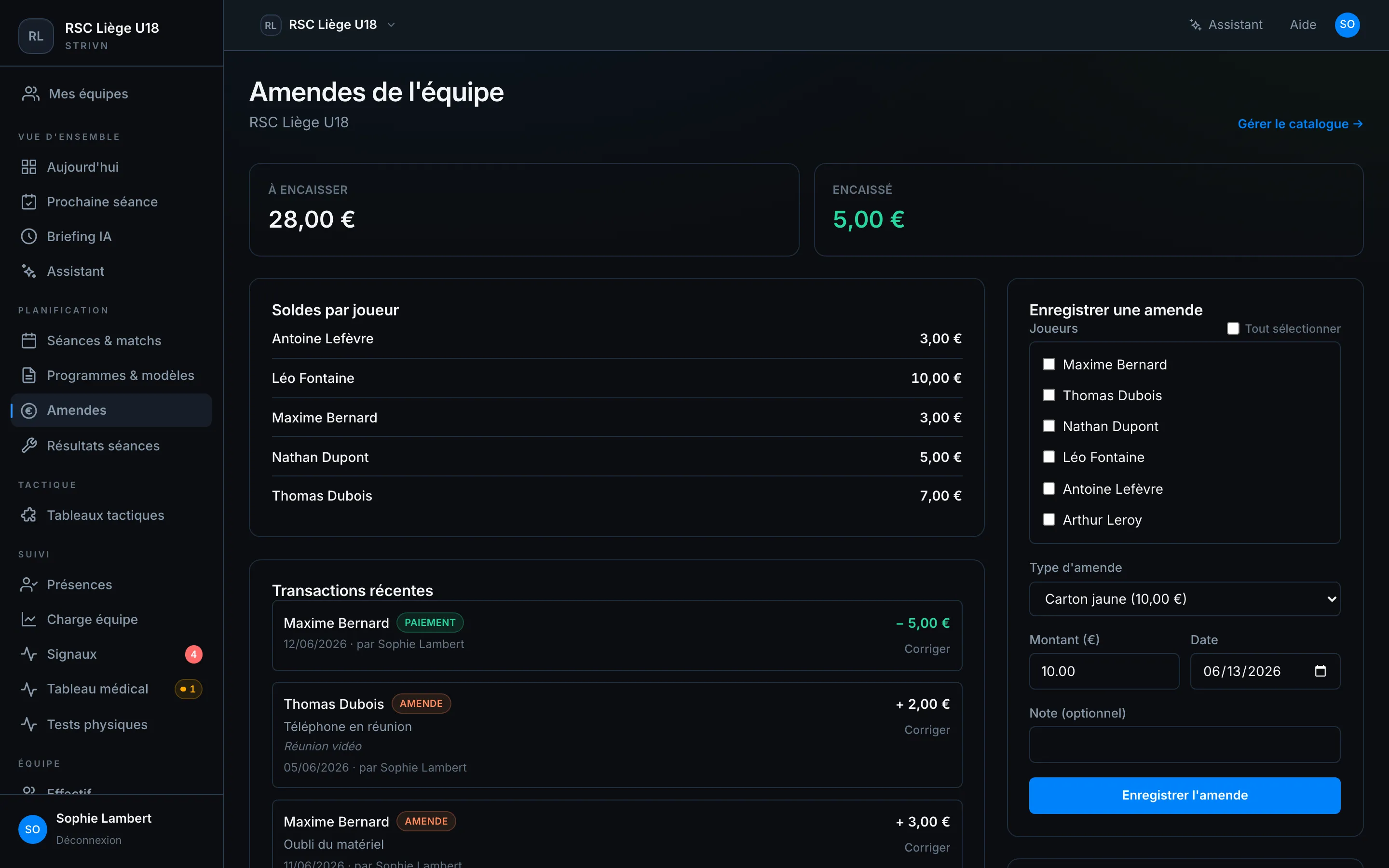
At the top, two counters summarise the kitty: Outstanding (total unpaid fines) and Collected (total payments received).
Build the catalog
Section titled “Build the catalog”Open Manage catalog →. To add a fine type, enter a label (e.g. Late to training) and a default amount, then click Add.
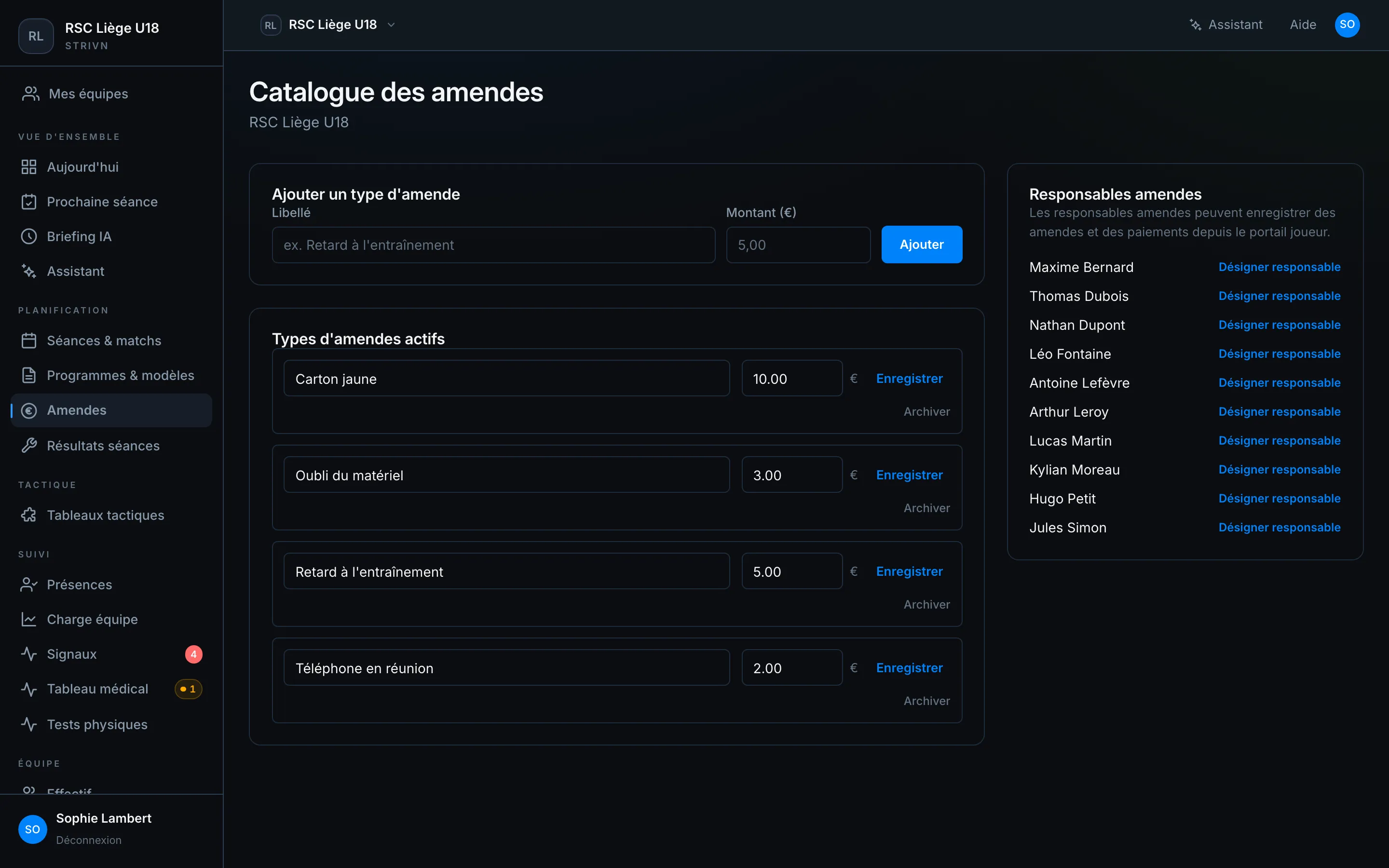
The active fine types stay editable (label, amount) and can be archived when you no longer use them — without erasing history.
Import the catalog from a rulebook
Section titled “Import the catalog from a rulebook”Already have an internal rulebook (R.O.I) or a list of fines? Instead of retyping everything, import it: from the catalog, open Import from a rulebook. Two methods lead to the same review screen.
- From a document (PDF or photo) — upload your rulebook (a PDF, or a photo). The assistant reads it and keeps only the fines with a fixed euro amount; non-numeric penalties (ROULETTE, “prime”, free entries) and remarks are skipped. Start with Read the document.
- From a spreadsheet (CSV or Excel) — if your list is already in a file, use a
labelcolumn and anamountcolumn (the amount in euros). Download the template gives you the right format, then Upload the file.
On the Review the proposed items screen, nothing is added until you confirm:
- Check each row; you can edit the label or amount, or remove a row.
- A fine already in your catalog is flagged Already in your catalog to avoid duplicates.
- Click Add to the catalog to create the selected types.
Record a fine
Section titled “Record a fine”In the Record a fine form:
- Tick the player(s) involved (or Select all).
- Choose a fine type — the amount pre-fills and stays adjustable.
- Check the date and add an optional note.
- Confirm with Record fine.
The fine is added to each selected player’s balance and appears in recent transactions.
Track balances & payments
Section titled “Track balances & payments”| Block | Content |
|---|---|
| Balances per player | Amount still owed by each player |
| Recent transactions | Feed of fines (+) and payments (−), with reason, date and author |
To collect, use Record payment: select the player, the amount and the date. The balance drops accordingly.
A player’s sheet
Section titled “A player’s sheet”Click a player to open their fines history: outstanding balance and the detail of each transaction.
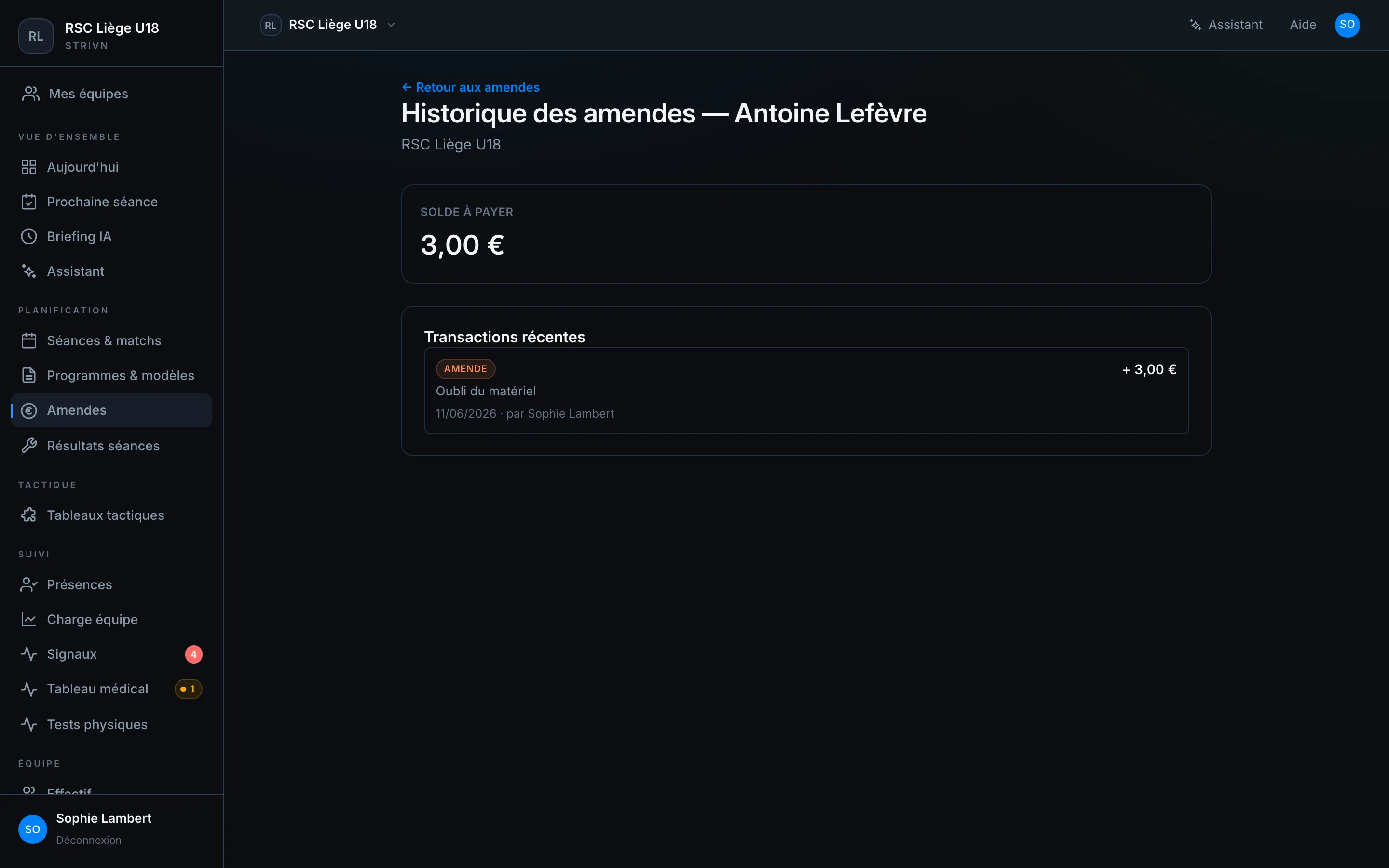
On the player’s side, this same history shows in the app — see My fines.