
Respond to a call-up
When the staff calls you up to an event, you receive a push notification, an email or a WhatsApp message with a response link.
Respond from the link
Section titled “Respond from the link”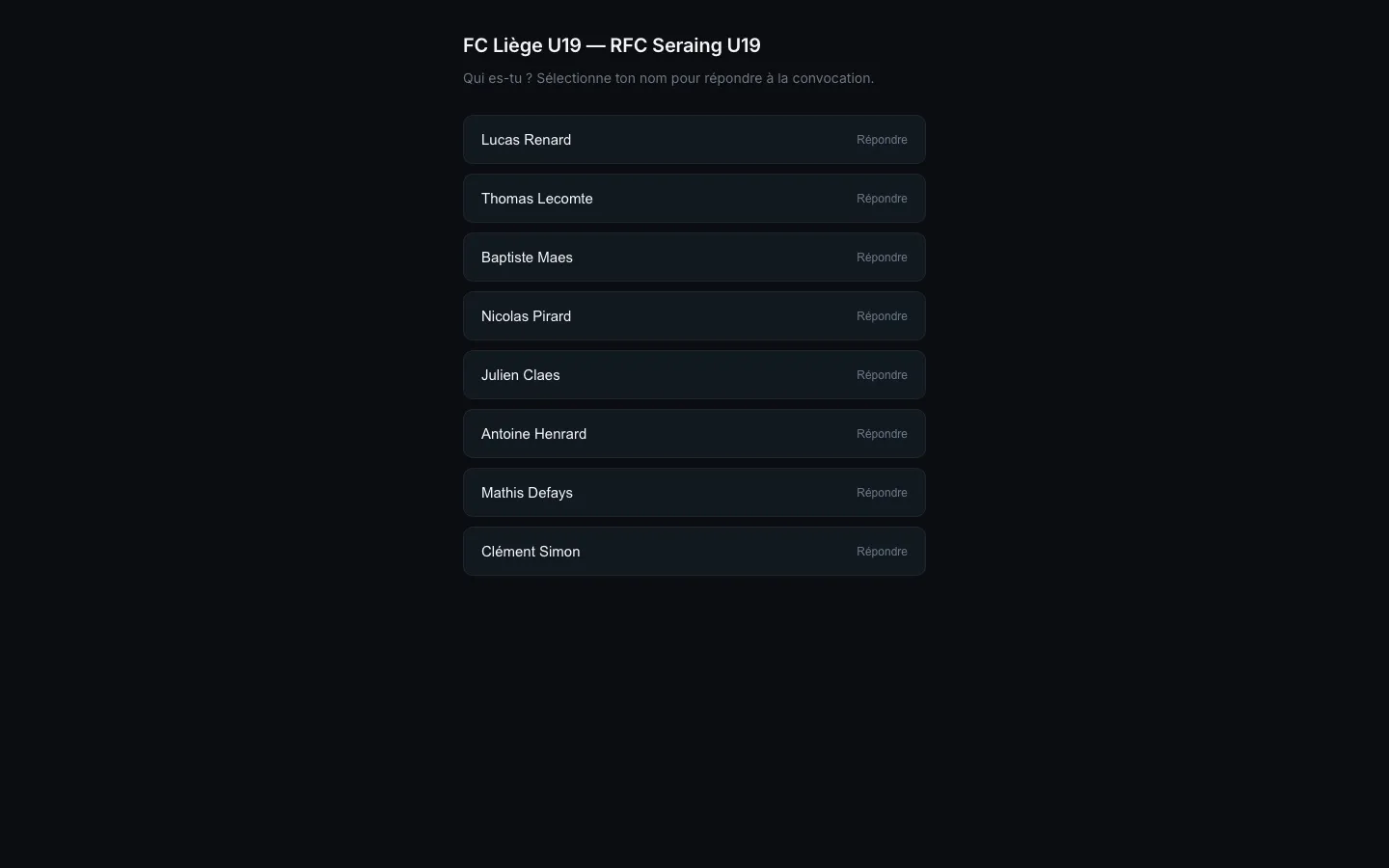
- Open the notification or the link you received.
- Select your name from the list.
- Choose your response: present, absent, or limited (present with restriction).
Your coach sees the response immediately in the event panel.
Available statuses
Section titled “Available statuses”| Status | When to use |
|---|---|
| present | You will be there, in full form |
| absent | You cannot attend |
| limited | You are coming but with a restriction (minor injury, reduced load) |
| uncertain | You are not sure yet |
Change your response
Section titled “Change your response”You can change your response up to the event start time (or before the deadline set by the staff). Reopen the call-up link and select the new status.
Did not receive the call-up?
Section titled “Did not receive the call-up?”- Check that notifications are enabled for STRIVN Player (see The STRIVN Player app).
- Check your network connection.
- If the problem persists, let your staff know: they can resend the link from the event panel.