

Call-ups (RSVP)
A call-up invites players to confirm their attendance at an event. Responses appear in real time in the event panel.
Send a call-up
Section titled “Send a call-up”Call-ups are managed from the calendar event panel.
- Click on the event to open its panel.
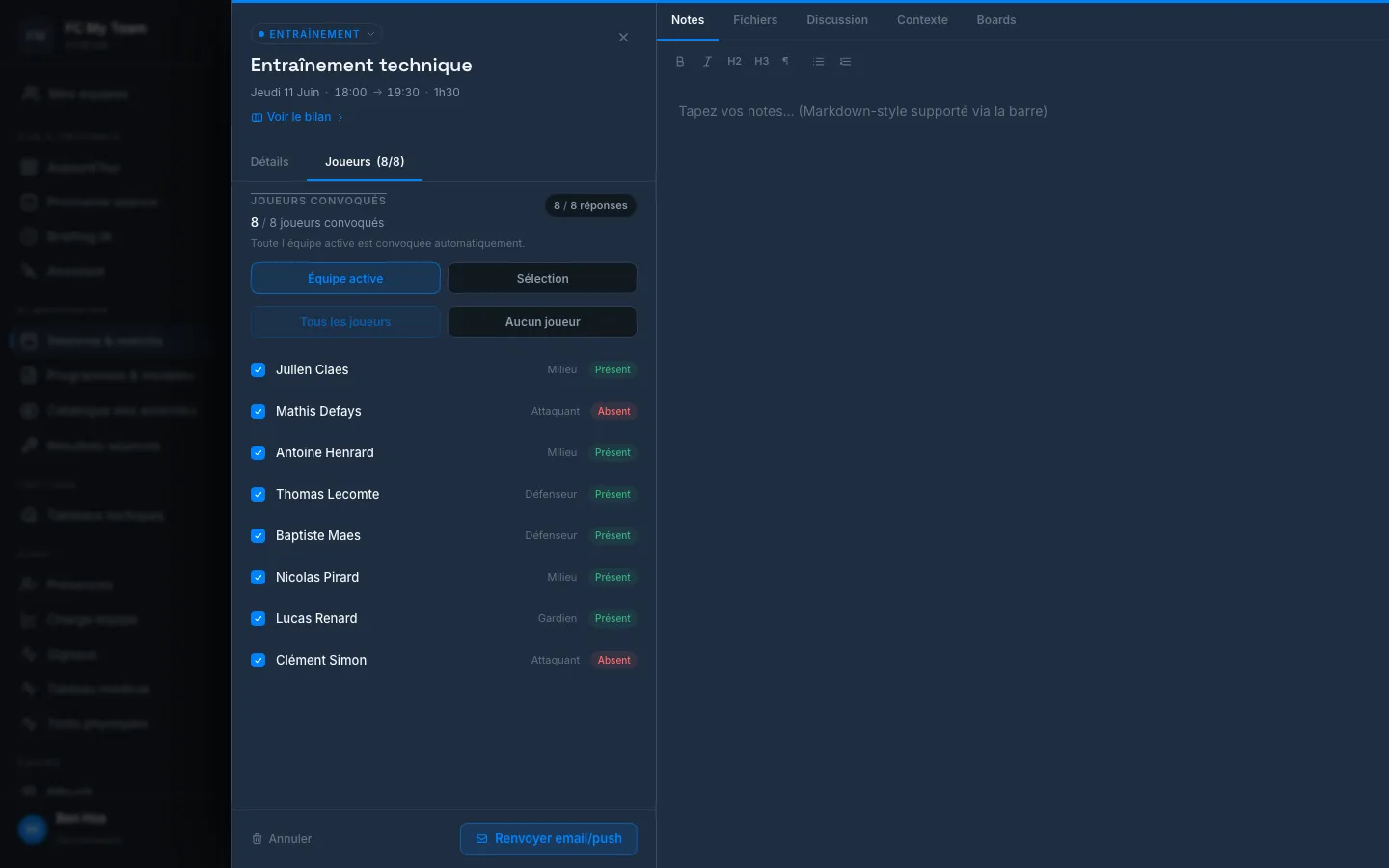
- Open the Players tab — it shows how many players are called up.
- Select the scope:
- Active squad — the entire active roster (default)
- Selection — choose players manually
- Click Resend email/push to send or resend notifications.
STRIVN sends the call-up by email, push (player app) and WhatsApp depending on the channels available for each player and the plan settings.
Track responses
Section titled “Track responses”The Details tab of the panel shows the real-time summary:
RESPONSES 8 / 0 have responded● 6 present ● 0 limited ● 0 uncertain ● 2 absent● 0 pendingThe Players (n/n) tab gives the named breakdown — each player with their position and response status.
| Status | Meaning |
|---|---|
| present | Player has confirmed |
| absent | Player has declined |
| limited | Present with restriction (minor injury, reduced load) |
| uncertain | Provisional response |
| pending | No response yet |
Follow up with players who haven’t responded
Section titled “Follow up with players who haven’t responded”In the Details tab, the Targeted RSVP reminder section shows the number of players still to be followed up.
- If all responses are received: “All invited players have responded. No reminder needed.”
- Otherwise: click Send a reminder to notify only pending players.
Player side
Section titled “Player side”See Respond to a call-up.