
Signals & alerts
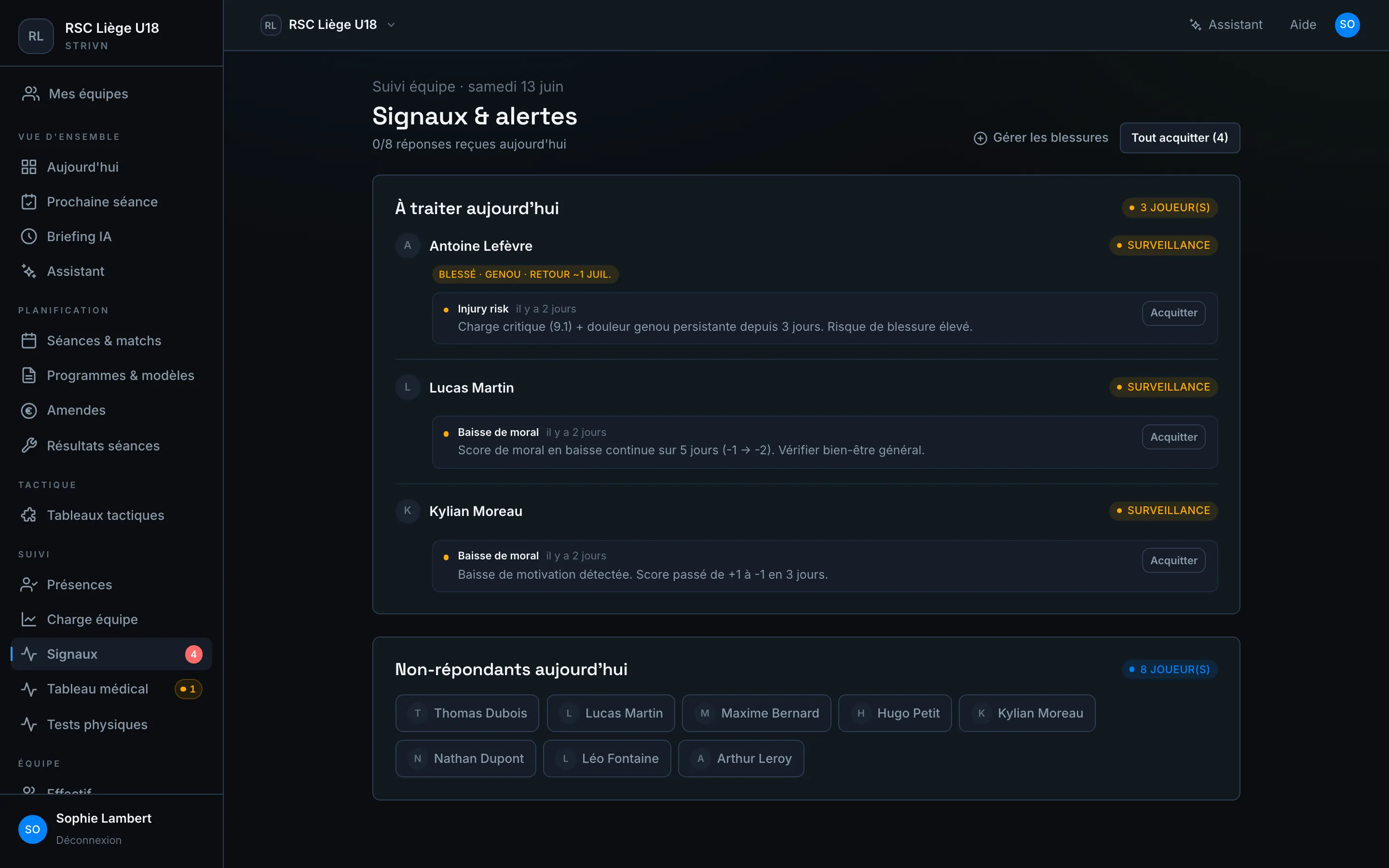
The Signals & alerts page is your daily inbox: it gathers the players who need your attention, cross-referencing well-being check-ins, training load and medical follow-up.
To handle today
Section titled “To handle today”Each alert card shows the player, the signal type and a short explanation. The most common types:
| Signal | Trigger |
|---|---|
| Injury risk | Critical load combined with a persistent reported pain |
| Morale drop | Mood score falling continuously over several days |
| Watch | A build-up of weak signals worth keeping an eye on |
The Watch badge flags cases to follow without immediate urgency.
Acknowledge an alert
Section titled “Acknowledge an alert”Once the alert has been dealt with (you spoke to the player, adjusted the session…), click Acknowledge to remove it from today’s list. The Acknowledge all button clears them in one go.
For a load alert, the View trend link opens the player’s ACWR evolution directly in the Trends tab before you acknowledge it.
Today’s non-responders
Section titled “Today’s non-responders”The Non-responders today block lists the players who haven’t done their check-in yet. From the briefing, you can nudge them in one click.
To re-check
Section titled “To re-check”Some players have no check-in (yet) today, but their estimated readiness (see Readiness) leans amber or red with low confidence. They don’t appear under “To handle” (an unreliable estimate must not count as confirmed risk), but they are worth a check-in to clear the doubt.
The “To re-check” block lists them with their estimated level and confidence percentage. A click opens the player’s profile to request or enter a check-in.
From signal to decision
Section titled “From signal to decision”- Open the page at the start of the day.
- Handle Injury risk alerts first.
- Cross-check with load and the medical board if needed.
- Adjust the session from the calendar, then acknowledge.