
AI briefing & assistant
STRIVN ships two team-intelligence tools: the AI briefing, which prepares your decisions for the day, and the Assistant, a chat that answers your questions about the squad.
AI briefing
Section titled “AI briefing”The briefing turns the team’s data (check-ins, load, injuries, calendar) into concrete decisions for the day’s session or match.
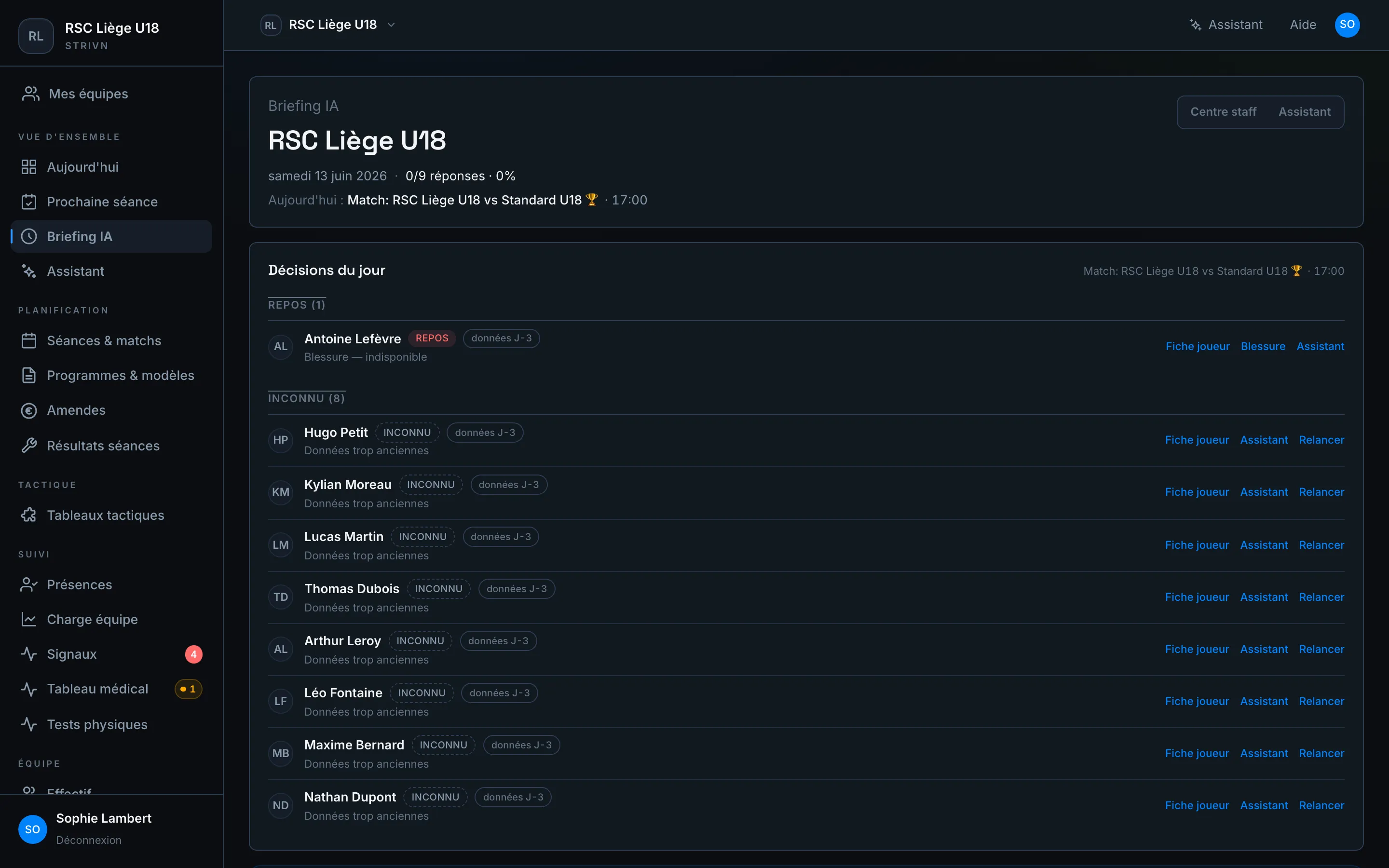
At the top: the date, the check-in response rate and the day’s event. Below, the Daily decisions sort each player into a category:
| Category | Meaning |
|---|---|
| Rest | Player to spare (injury, overload) |
| Watch | Keep an eye on during the session |
| Fit | Available as normal |
| Unknown | Data too old — nudge the player |
For each player, shortcuts open their sheet, their injury or the assistant, and let you nudge anyone who hasn’t replied. The Staff hub / Assistant switch toggles between the steering view and the chat.
Assistant
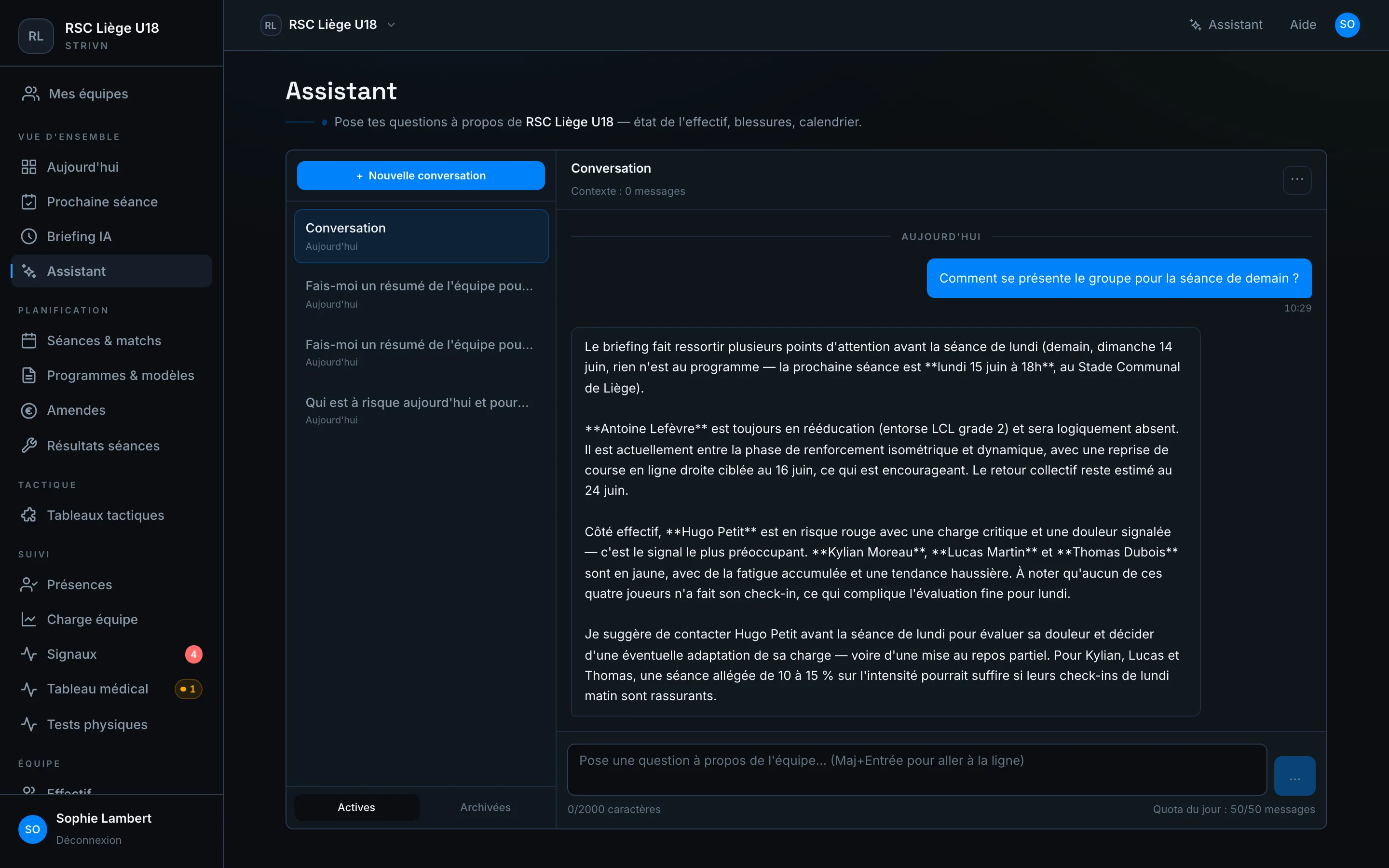
Section titled “Assistant”The Assistant answers in plain language about your team: squad status, injuries, load, calendar. It reads the same data you do, in real time.
Ask a question
Section titled “Ask a question”Type your question, or start from a suggestion: Who’s at risk today?, Team summary, Upcoming events, List of injured players. The assistant shows the steps it consults (briefing, trends, injuries…) before answering.
Composing a canvas on the fly
Section titled “Composing a canvas on the fly”When your question is about numbers — “show me the load over the last four weeks”, “compare this match to the previous one” — the assistant doesn’t just answer in text: it opens a canvas next to the conversation, with the widgets that answer it.
A canvas writes nothing. It doesn’t appear in your Dashboards, no one else sees it, and it disappears if you do nothing with it. It’s an answer, not a document.
- Open — every reply that produced a canvas leaves a card in the conversation. Reopen it whenever you want, even after closing the canvas.
- Save — the canvas becomes an ordinary dashboard, visible to the team and editable in the builder. You can also simply ask the assistant to save it.
- Chain requests — while a canvas is open, “add last week too” edits it instead of opening a second one.
The assistant composes in two ways, depending on the question. A dynamic widget keeps the query: reopened later, it replays on the current data. A Snapshot widget freezes the values the assistant just read — for a question the dashboard vocabulary can’t express, like the result of a specific match. It then carries its capture date.
When the request is ambiguous
Section titled “When the request is ambiguous”If two reasonable readings of your request would give different results — which period? which player? which metric? — the assistant asks a question instead of guessing or refusing. It offers choices, but you can always answer directly, in your own words.
It can only ask two questions for a single request. Past that limit, it composes its best reading while naming the choices it made, or tells you clearly what it couldn’t resolve — never a third question.
Conversations & quota
Section titled “Conversations & quota”- New conversation starts a clean thread; threads are filed under Active and Archived.
- A daily quota of messages shows at the bottom right.
By voice
Section titled “By voice”On mobile, you can dictate your question rather than type it — handy at the side of the pitch, hands full.